
AutoCount Cloud Accounting Malaysia: Plans, Prices and Built-in e-Invoice
AutoCount Cloud Accounting is AutoCount’s browser-based accounting system, with LHDN MyInvois e-invoicing included in every plan. AutoCount lists business plans at RM70 to RM180 a month and a limited-time 12-month offer from RM28 a month, excluding SST (checked 24 October 2026). Stock tracking needs the Plus or Pro plan.
What is AutoCount Cloud Accounting and who is it for?
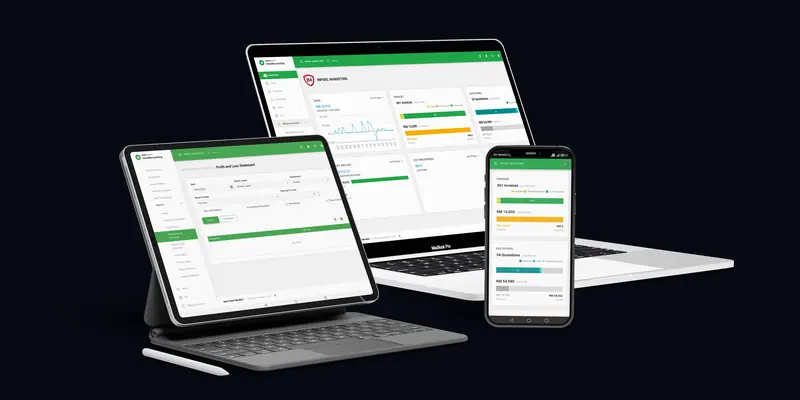
AutoCount Cloud Accounting is a web-based accounting system from Auto Count Sdn Bhd that runs in a browser on a PC, phone or tablet, with no server to install. AutoCount Cloud Accounting covers sales, purchases, inventory, accounting and e-invoicing, and AutoCount pitches its plans at micro companies, service firms, traders, multi-warehouse businesses and accounting firms.

AutoCount describes it on the AutoCount Cloud Accounting plans page, checked 24 Oct 2026 with a plan for each kind of business. Your data sits in AutoCount’s hosted environment, not on an office server (AutoCount Accounting 2.0 page, checked 24 Oct 2026). An accountant can be invited into the book and work on it from anywhere, and every plan from Lite to Pro includes one accountant login (AutoCount Cloud Accounting plans page, checked 24 Oct 2026).
AutoCloud.my is not AutoCount. This page summarises AutoCount’s own published information, dated, so you can compare plans in one place. We use AutoCount Cloud Accounting for our own books and connect to it through its API.
How much does each AutoCount Cloud Accounting plan cost?
AutoCount Cloud Accounting costs RM70 a month for Lite, RM100 for Basic, RM140 for Plus, RM180 for Pro and RM10 for the Accountant plan, on AutoCount’s page checked 24 October 2026. Paid for 12 months, AutoCount shows Lite at RM336 instead of RM840, a limited-time offer. All prices exclude SST.
| Plan | Monthly | 12 months (list, then offer) | Users included | Add-on user | AutoCount suggests it for | Attachment storage |
|---|---|---|---|---|---|---|
| Lite | RM70 | RM840, offer RM336 | 1 user + 1 accountant | RM10 a month | Start-up or micro company | 5GB |
| Basic | RM100 | RM1,200, offer RM480 | 2 users + 1 accountant | RM10 a month | Professional services | 5GB |
| Plus | RM140 | RM1,680, offer RM672 | 3 users + 1 accountant | RM20 a month | Trading of products | 10GB |
| Pro | RM180 | RM2,160, offer RM864 | 3 users + 1 accountant | RM20 a month | Multi-warehouse | 20GB |
| Accountant | RM10 | RM120 | 2 users | RM10 a month | Accounting firm | 5GB |
Sources: monthly prices from the AutoCount Cloud Accounting plans page, checked 24 Oct 2026; the 12-month figures and the banner “for 1 year from just RM28/month”, marked limited-time with terms and conditions, from the same page’s 12-month tab (AutoCount Cloud Accounting plans page, checked 24 Oct 2026). RM336 over 12 months is RM28 a month, so the RM28 figure is the Lite plan on the 12-month offer. Users and add-on rates are from the same comparison (AutoCount Cloud Accounting plans page, checked 24 Oct 2026).
AutoCount also offers 3-month and 6-month billing, with no long-term contract, and says there are normally no setup fees (AutoCount Cloud Accounting plans page, checked 24 Oct 2026). Extra attachment storage is RM7 a month per 5GB and extra AI SmartScan credits are RM10 per 200, on the same page.
Limits: what this page is and is not
This page restates AutoCount’s published plans on one date and has these limits:
- Prices and offers change. The 12-month figures are a limited-time offer with AutoCount’s own terms. Check AutoCount’s page before you buy.
- SST is extra. AutoCount states its displayed prices exclude SST, so we do not add it.
- Features are read from AutoCount’s comparison table. If a feature matters to you, confirm it in the free trial before you commit.
- We have an interest. AutoCloud.my is operated by Inpixel Marketing, an authorised AutoCount cloud reseller, so we can earn from a subscription arranged through us. You can also sign up with AutoCount directly.
- No tax advice. Whether your business must issue e-invoices depends on LHDN’s rules; confirm your position with your tax adviser.
Which features differ between the AutoCount Cloud Accounting plans?
The AutoCount Cloud Accounting plans differ mainly in tax, currency and stock features. Every plan includes LHDN e-invoicing, accounting, auto bank reconciliation and AI SmartScan. SST starts at Basic, multi-currency and departments at Plus, and stock tracking only on Plus and Pro, with multi-location stock on Pro alone, per AutoCount’s comparison.
| Feature | Lite | Basic | Plus | Pro | Accountant |
|---|---|---|---|---|---|
| LHDN e-Invoice | Yes | Yes | Yes | Yes | Yes |
| Auto bank reconciliation | Yes | Yes | Yes | Yes | Yes |
| SST | No | Yes | Yes | Yes | Yes |
| Multi-currency and departments | No | No | Yes | Yes | Yes |
| Custom financial report layout | No | No | No | Yes | Yes |
| Quotations | Yes | Yes | Yes | Yes | No (invoices and credit notes only) |
| Purchase orders | Yes | Yes | Yes | Yes | No (purchase invoices and returns only) |
| Monthly sales and purchase analysis reports | No | Yes | Yes | Yes | No |
| Stock tracking, multipacks, bundles and variants | No | No | Yes | Yes | No |
| Multi-location stock | No | No | No | Yes | No |
| Recurring transactions | No | Yes | Yes | Yes | Yes |
| Integration API | Yes | Yes | Yes | Yes | Yes |
Source: the AutoCount Cloud Accounting plans page, checked 24 Oct 2026, with the API row from the same table (AutoCount Cloud Accounting plans page, checked 24 Oct 2026). Two practical readings follow. If you sell stock, Lite and Basic are out, because they do not track inventory. If you charge SST, Lite is out. Phone support is chargeable on every plan; email tickets and live chat are included (AutoCount Cloud Accounting plans page, checked 24 Oct 2026).
Does AutoCount Cloud Accounting handle LHDN e-invoicing?
AutoCount Cloud Accounting handles LHDN e-invoicing itself: AutoCount says it is directly integrated with MyInvois for submission and validation, and the e-invoice feature is included in all plans at no extra cost. AutoCount Cloud Accounting covers standard, consolidated and self-billed e-invoices, plus tools that look up a buyer’s TIN from LHDN.

AutoCount states the integration and the no-extra-fee point in its FAQ (AutoCount Cloud Accounting plans page, checked 24 Oct 2026). Its e-invoice features, as AutoCount describes them (AutoCount Cloud Accounting plans page, checked 24 Oct 2026; AutoCount Cloud Accounting plans page, checked 24 Oct 2026):
- Standard e-invoices: an approval step lets a superior approve an invoice before it is submitted automatically, and an e-Invoice Status column shows the result.
- Consolidated e-invoices: pick a period and the system gathers transactions without a TIN that have not been submitted. LHDN’s own rules for these are in our consolidated e-invoice guide.
- Self-billed e-invoices: quick-copy a purchase invoice, payment voucher or journal entry; the copy is not posted to accounts or stock again. When a buyer must self-bill is covered in the self-billed e-invoice guide.
- Buyer details: search a TIN by business registration or MyKad number, upload a taxpayer’s MyInvois QR code, or send a customer a link to fill in their own tax details.
Not every business has to issue e-invoices. LHDN’s Guideline v4.8 exempts businesses with annual turnover or revenue below RM3 million, unless a group-company test applies (LHDN e-Invoice Guideline v4.8 (30 Aug 2026)). The Malaysia e-invoice guide sets out the phases and exemptions.
Cloud or desktop AutoCount: which should you choose?
Choose AutoCount Cloud Accounting if you want no server, browser access from any device and a monthly or yearly subscription. Choose AutoCount Accounting 2.0, the desktop edition, if you need a book on your own office server or a module only the desktop editions offer. Both editions can submit e-invoices to MyInvois.
| Question | AutoCount Cloud Accounting | AutoCount Accounting 2.0 |
|---|---|---|
| Where it runs | AutoCount’s hosted cloud; no server needed | On-premise, on your own PC or office server |
| How it is sold | Five plans, billed monthly to yearly | Five editions |
| Remote access | Any device with a browser | Internet Login option to reach the office-server book |
| e-Invoice | Built in, every plan | Through the AutoCount e-Invoice Platform (AIP) |
| Integration route | Integration API (Key-ID and API-Key) | AutoCount Accounting API (.NET), needs the API Module licence |
Sources: the AutoCount Accounting 2.0 page, checked 24 Oct 2026 for the desktop edition and the cloud “no server” answer; the AutoCount e-Invoice Solution page for AIP; the AutoCount wiki: Integration Methods (edited 2 Apr 2025) for the desktop API and the AutoCount Cloud Accounting Integration API: Getting Started for the cloud API. AutoCount publishes no desktop edition prices on that page, so we do not compare cost here. If you already run the desktop edition and are thinking of moving, list the modules you use first and check each one against the cloud plan table above.
Can AutoCount Cloud Accounting connect to marketplaces, banks or payroll?
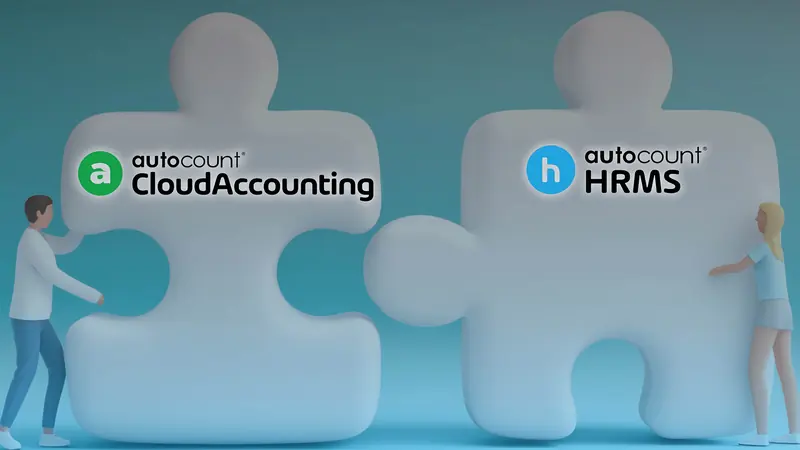
AutoCount Cloud Accounting connects to Shopee and Lazada through AutoCount’s OneSales, to Maybank and UOB business accounts through a bank feed, and to AutoCount HRMS for payroll posting. AutoCount Cloud Accounting also has an Integration API on every plan, so other systems, such as a POS or web shop, can be connected by a developer.
- Marketplaces: AutoCount’s OneSales Marketplace Solution covers Shopee and Lazada and is described as integrated with Cloud Accounting, from RM159 a month for 1,000 orders (AutoCount OneSales pricing page, checked 9 Oct 2026).
- Banks: a bank feed for Maybank SME/Business and UOB Business Banking accounts, online payment from payment vouchers with UOB, and PDF or CSV statement import for other banks (AutoCount Cloud Accounting plans page, checked 24 Oct 2026).
- Payroll: AutoCount lists “Payroll Posting to Cloud Accounting” among AutoCount HRMS modules on its plan for accounting firms (AutoCount Cloud Partner page, checked 24 Oct 2026). Check with AutoCount that your HRMS plan includes it.
- Anything else: the Integration API authenticates with a Key-ID and an API-Key (AutoCount Cloud Accounting Integration API: Getting Started). On our own book, some text fields stopped at 40 characters without an error, so a connector should read each document back after posting. The AutoCount API integration page covers methods and design, and the integration cost page lists published market prices.
How do I sign up for AutoCount Cloud Accounting and move my data?
You can sign up for AutoCount Cloud Accounting with a free trial on AutoCount’s site, with no credit card. The trial is limited by usage, not days: unlimited sales transactions and up to 60 purchase, stock and accounting transactions each per calendar year. A trial upgrades to a paid plan without losing data, and Excel templates import existing records.
- Pick a plan on paper first. Use the feature table above: stock means Plus or Pro, SST means Basic or higher.
- Start the free trial. AutoCount’s trial limits are set out on its page (AutoCount Cloud Accounting plans page, checked 24 Oct 2026). Test your real invoice layout, an e-invoice submission and the reports you rely on.
- Import your records. AutoCount offers Excel import templates for data from other accounting software or Excel, and export to Excel or PDF if you leave (AutoCount Cloud Accounting plans page, checked 24 Oct 2026).
- Subscribe. Upgrade the trial to a paid plan, monthly, 3-month, 6-month or 12-month, paid by card, FPX or e-wallet (AutoCount Cloud Accounting plans page, checked 24 Oct 2026).
Prefer help? As an authorised AutoCount cloud reseller, Inpixel Marketing can arrange the subscription and talk through which plan fits on a free 15-minute call. Larger set-ups, such as connecting a POS or marketplace, start with a scoping call.
Where do I log in to AutoCount Cloud Accounting?
You log in to AutoCount Cloud Accounting on AutoCount’s own sign-in page at auth.autocountcloud.com, the page AutoCount’s LOGIN button links to. AutoCloud.my is a separate site run by an AutoCount cloud reseller: it is not a login page and cannot see or reset AutoCount passwords. For login problems, contact AutoCount support.
The address AutoCount links to is auth.autocountcloud.com/identity/account/login/accounting (AutoCount Cloud Accounting plans page, checked 24 Oct 2026). Check the address bar before typing a password. AutoCount’s email and live-chat support runs Monday to Friday, 9:00 am to 6:00 pm Malaysia time (AutoCount Cloud Accounting plans page, checked 24 Oct 2026).
How does AutoCount back up Cloud Accounting data?
AutoCount says AutoCount Cloud Accounting data is backed up in layers: recent changes every 10 minutes, a differential backup every hour and a full backup daily. AutoCount hosts the system in Huawei Cloud data centres and states that AutoCount is ISO 27001:2022 certified. Data can be exported to Excel or PDF.

These are AutoCount’s own statements (AutoCount Cloud Accounting plans page, checked 24 Oct 2026); we have not audited them. Two habits still help: give each staff member their own login with only the access they need, and export key reports at each month end so you hold your own copy (AutoCount Cloud Accounting plans page, checked 24 Oct 2026).
Key terms
- Plan
- One of AutoCount Cloud Accounting’s five subscription levels (Lite, Basic, Plus, Pro and Accountant). The plan sets the included users, the modules and the attachment storage.
- Add-on user
- An extra login beyond the users a plan includes, charged per user per month at a rate that depends on the plan.
- Free trial transaction limit
- The usage cap on AutoCount Cloud Accounting’s free trial: unlimited sales transactions, and up to 60 purchase, 60 stock and 60 accounting transactions within a calendar year.
- Integration API
- AutoCount Cloud Accounting’s interface for other systems to read and post data, authenticated with a Key-ID and an API-Key.
Questions about a plan, or connecting another system? Ask on a free 15-minute scoping call. We reply Monday to Friday, 9:00 am to 6:00 pm Malaysia time. AutoCloud.my is operated by Inpixel Marketing (SSM 202003100521), an authorised AutoCount cloud reseller.
WhatsApp +60 12-319 4016 Email hello@autocloud.myRelated guides
- Malaysia e-invoice guide: phases, the RM3 million exemption and what AutoCount users need.
- AutoCount API integration: connecting a POS, marketplace or custom system.
- MyInvois error fixes: common AutoCount e-invoice errors and their causes.
Sources
- AutoCount Cloud Accounting plans page, checked 24 Oct 2026, Auto Count Sdn Bhd. Retrieved 24 October 2026.
- AutoCount Accounting 2.0 page, checked 24 Oct 2026, Auto Count Sdn Bhd. Retrieved 24 October 2026.
- LHDN e-Invoice Guideline v4.8 (30 Aug 2026), Inland Revenue Board of Malaysia (LHDN). Retrieved 9 October 2026.
- AutoCount e-Invoice Solution page, Auto Count Sdn Bhd. Retrieved 9 October 2026.
- AutoCount wiki: Integration Methods (edited 2 Apr 2025), Auto Count Sdn Bhd. Retrieved 9 October 2026.
- AutoCount Cloud Accounting Integration API: Getting Started, Auto Count Sdn Bhd. Retrieved 9 October 2026.
- AutoCount OneSales pricing page, checked 9 Oct 2026, Auto Count Sdn Bhd. Retrieved 9 October 2026.
- AutoCount Cloud Partner page, checked 24 Oct 2026, Auto Count Sdn Bhd. Retrieved 24 October 2026.